How banks can detect and prevent overlay attacks against mobile banking apps
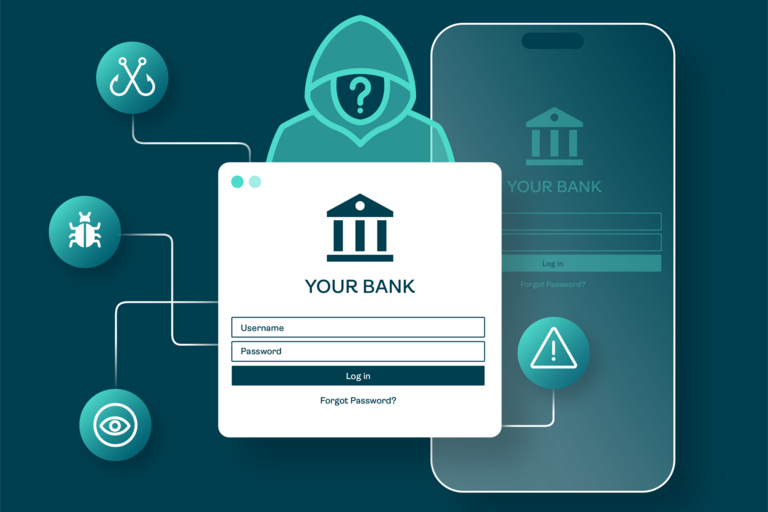
Overlay attacks remain a highly effective technique in the mobile threat landscape, used by Android banking trojans to harvest user credentials (e.g. PINs, passwords) of mobile banking apps and hijack financial transactions. Android malware families such as Xenomorph, Medusa, and Anatsa are well-known for using overlay attacks.
The Android window overlay mechanism allows an application to render a floating view directly on top of the active foreground application. While legitimately leveraged for user-experience enhancements, such as Facebook Messenger’s chat heads or system alerts, this feature can present significant security risks. The fundamental security risk is the violation of UI integrity: a (banking) app can be completely or partially obscured without its standard layout engine inherently knowing that it is no longer interacting directly with the user.
In this article we discuss the various types of overlay attacks and windows and explain how app developers can detect and prevent overlay attacks.
Types of overlay attacks
An overlay attack occurs when a malicious mobile application draws a rogue window or user interface (UI) element directly on top of a legitimate target application (the banking app). To achieve this, the malware typically does one of the following:
- It tricks the user into granting the SYSTEM_ALERT_WINDOW permission. This Android permission allows an app to display content over other apps and system UI.
- It abuses the Android Accessibility Service API to inject windows dynamically into the foreground task stack. Malware also often abuses this API to perform click automation, read UI content, or facilitate credential theft.
The adversary can abuse the harvested credentials on his own device or the user’s device:
- Adversary logs into own device: The overlay malware on the user’s device first obtains the user’s credentials and exfiltrates it to the adversary. The adversary then uses the credentials to log into the account of the victim on another mobile device.
- Adversary logs into user’s device: The overlay malware harvests the credentials on the user’s device and uses them to log into the banking app residing on the victim’s device.
Taxonomy of overlay windows
Malware authors can customize overlay windows along three main dimensions to meet their needs. First, overlay windows can cover the full display or only a part of it:
- Full overlays: The malicious window occupies the entire display area (100% width and height). When the malware detects that a banking app has entered the foreground, it immediately launches a full-screen window matching the exact branding, input fields, and color palette of the bank's login. The user believes they are interacting with the bank, but they are typing directly into the malware's input fields.
- Partial overlays: The overlay window covers only a specific segment of the screen. This is frequently used to mask specific native elements, such as covering the bank's account destination field with a rogue text box or obscuring security warnings and transaction details.
Overlay windows can also be transparent or opaque:
- Transparent overlays: These windows are entirely invisible or semi-transparent to the human eye. The user sees the genuine banking application underneath, unaware that a clear digital pane is present on top of it.
- Opaque overlays: These windows completely hide the underlying genuine banking application content.
Finally, overlay windows can block touch events or pass them to the underlying application:
- Blocking touch events: The overlay intercepts all user interactions. Taps, swipes, and keystrokes are processed by the malicious window's touch listener. Full, opaque overlays block touch events to capture typed credentials before discarding or simulating inputs.
- Passing touch events: This behavior underpins Tapjacking attacks. The overlay allows touch events to “pass through” its transparent surface down to the underlying genuine window. In a tapjacking attack, the adversary displays an innocent-looking UI (e.g., a "Claim Prize" button) directly above a critical, non-reversible banking operation (e.g., an "Authorize Transfer" button). The user clicks the visible malicious graphic, but the touch is dispatched downstream to the hidden button in the banking app, executing a transaction without the user's conscious consent.
Detecting and preventing overlay windows using Android methods
The Android operating system provides multiple approaches to detect and/or prevent overlay windows. Over time Android functionality has evolved from a passive, touch-filtering approach into an explicit blocking mechanism at operating system level.
Android 11 (Android API 30) and below
On legacy Android versions, applications cannot prevent overlay windows from being drawn over them. Instead, Android allows apps to detect distorted touch events. More specifically, the Android input dispatcher flags events that pass through or are modified by an intersecting window. This can be implemented in two ways:
Method A: Touch filtering flags
When a touch event passes through an overlay to reach an app’s view, the kernel-level input dispatcher appends security flags to the event metadata. These flags are immutable and cannot be altered or spoofed by the malicious application. The flags:
- MotionEvent.FLAG_WINDOW_IS_OBSCURED: Set if the window is fully or partially covered by another visible window at the exact point where the touch occurred.
- MotionEvent.FLAG_WINDOW_IS_PARTIALLY_OBSCURED: Introduced in later APIs to explicitly flag when any part of the bounds is overlapped, even if the exact coordinates of the touch are technically clear.
Developers implement this programmatically by overriding dispatchTouchEvent or assigning an OnTouchListener. In Java the code can look like this:
criticalButton.setOnTouchListener(new View.OnTouchListener() {
@Override
public boolean onTouch(View v, MotionEvent event) {
int flags = event.getFlags();
if ((flags & MotionEvent.FLAG_WINDOW_IS_OBSCURED) != 0 ||
(flags & MotionEvent.FLAG_WINDOW_IS_PARTIALLY_OBSCURED) != 0) {
// Abort the transaction or login request
logSecurityEvent("Overlay detected via touch flags. Action blocked.");
return true; // Consume event to prevent downstream execution
}
return false; // Allow legitimate touch
}
});
Method B: Declarative layout filtering
For simpler implementations, the framework provides a shortcut view attribute that automatically drops touches flagged as obscured:
- API Method: View.setFilterTouchesWhenObscured(true)
- XML Layout Property: android:filterTouchesWhenObscured="true"
Unfortunately, defence methods A and B fail against overlays that block touch events. Since these touches never reach the underlying banking app view, onTouch() is never invoked, the MotionEvent flags are never checked, and the malware can harvest the user’s input unhindered. Banks should therefore implement complementary measures as discussed further below.
Android 12 (Android API 31) and above
Recognizing the architectural gap in legacy defences, Android 12 introduced the possibility for apps to disable the rendering of non-system overlay windows on top of their active window space.
Instead of reacting to compromised touch inputs, apps instruct the system WindowManager to reject the rendering of any window utilizing TYPE_APPLICATION_OVERLAY while the app is in the foreground. This can be implemented using the Android API method Window.setHideOverlayWindows(Boolean). In Java the code can look like this:
@Override
protected void onCreate(Bundle savedInstanceState) {
super.onCreate(savedInstanceState);
setContentView(R.layout.activity_login);
// Enforce system-level blocking of non-system overlays
if (Build.VERSION.SDK_INT >= Build.VERSION_CODES.S) { // API 31+
this.getWindow().setHideOverlayWindows(true);
}
}
When this flag is active, the Android system automatically hides overlays, ensuring that full-screen fake phishing pages or partial transparent blocks cannot render over genuine mobile banking apps.
Defense-in-depth recommendations
To guarantee UI integrity across the fragmented Android ecosystem, banks should implement a layered security approach:
- Leverage mobile threat intelligence: Banks should collect and analyze mobile threat intelligence to ensure they are aware of attacks against their mobile banking apps by malware applications. Dedicated threat intelligence services, such as ThreatFabric’s Mobile Threat Intelligence, can help.
- Use Android API 31+: Developers should call setHideOverlayWindows(true) in their mobile banking apps globally across all sensitive activities (e.g., login, money transfer).
- Maintain backwards compatibility: For devices running older OS versions, developers should retain android:filterTouchesWhenObscured="true" on all interactive components to stop tapjacking vectors.
- Use device binding: Developers should bind their mobile banking apps to the device on which they are installed. This ensures credentials harvested from the victim’s device cannot be simply reused on another device.
- Monitor accessibility service usage: Because highly privileged malware can use Accessibility APIs to observe text changes or inject structural views that bypass standard overlay flags, mobile banking apps should continuously audit active accessibility services via AccessibilityManager.getEnabledAccessibilityServiceList and restrict app execution if untrusted, sideloaded engines are active.
- Perform malware detection: More generally, mobile banking apps should be equipped with malware detection mechanisms, checking for the presence of malicious apps on the mobile device where the mobile banking app is installed.
- Use biometric authentication: Finally, banks can consider using biometric authentication (e.g., face scan, fingerprint scan) only and avoid using PINs.
- Leverage app shielding technology: App shielding technology is designed to detect and mitigate a wide range of threats against mobile apps, including overlay attacks. In particular, it can be used to detect unusual execution environments, such as rooted/jailbroken devices, emulators and virtualized environments, which can increase the attack surface and facilitate overlay attacks.
Summary
Overlay attacks remain a persistent and highly effective threat within the Android ecosystem. By leveraging the legitimate overlay mechanism, adversaries can convincingly mimic trusted applications, intercept user input, and manipulate user interactions in ways that are difficult for both users and applications to detect.
Defending against overlay attacks requires a defense-in-depth strategy that combines platform capabilities with application-level controls, runtime monitoring, and threat intelligence. By leveraging secure UI design, modern Android APIs, and continuous threat monitoring, organizations can significantly reduce the effectiveness of overlay attacks and better protect their users and applications.
