Identity verification and signer authentication for eSignature
Verify unknown signers and authenticate known signers using AI-powered identity verification and flexible authentication options directly in OneSpan Sign. Built for agreement workflows where customer experience and compliance matter.

Digital agreements now require stronger signer assurance
The risk profile of digital agreements is changing as AI makes impersonation and deepfakes harder to detect.
Whether opening an account for a new applicant or processing a loan for an existing customer, organizations need confidence that the person signing the agreement is who they claim to be.
OneSpan Sign provides the flexibility to apply the right level of identity assurance to every transaction without creating unnecessary friction. This helps secure the process, simplify the signer experience, and avoid abandonment.
Verify signers before they access the agreement
OneSpan Sign brings AI-powered identity verification and signer authentication into the digital agreement workflow. Instead of treating signer identity, authentication, and eSignature as separate steps across disconnected systems, OneSpan Sign helps validate identity, capture signatures, and preserve evidence. All in a single workflow.
Use AI-powered identity document checks, biometric face comparison, certified video liveness detection, and flexible authentication methods to match assurance to transaction risk. Every verification and authentication event is connected to the signed agreement, helping to simplify audits and maintain compliance.
Establish trust across the full signing process
Deliver the right level of assurance for every agreement. Verify signer identity, match authentication to transaction risk, and maintain a single audit trail from verification through signature.
IDV tabs
Signer identity verification
Confirm a signer’s identity before remote online agreements are executed. OneSpan Sign uses AI-powered ID document checks and enhanced identity verification with passive and active certified video liveness detection to build trust that the signer is who they claim to be.
Verify identity in 3 easy steps
-
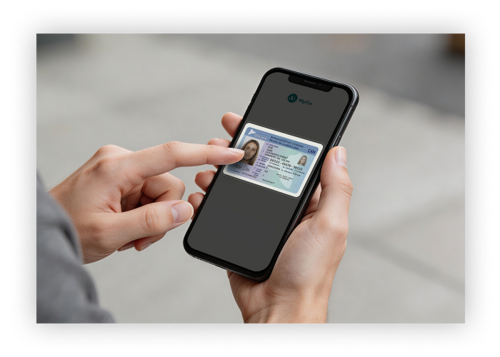
STEP 1
Quickly determine that the signer’s ID is authentic
Signers are asked to take a photo of their passport, driver’s license, or other government-issued ID. AI analyzes the authenticity and validity of the photo ID in seconds to determine whether it is genuine. -
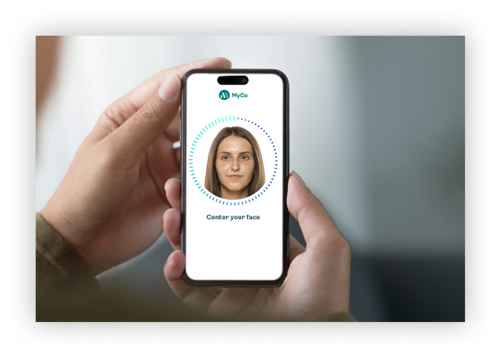
Step 2
Match the signer to the ID document
Biometric verification helps establish that the person presenting the document is the same individual shown on the ID. Biometric checks include face similarity check and selfie authenticity check. -
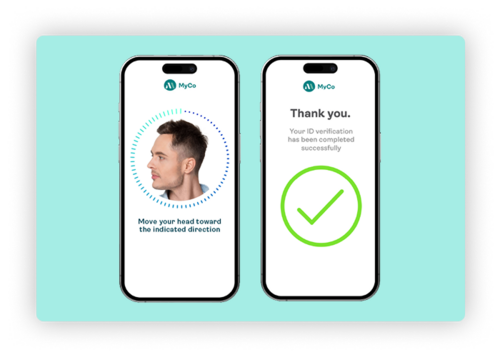
Step 3
Confirm that a live person is present
OneSpan Sign uses certified video liveness verification to help verify signer presence through real-time interaction, 3D face capture, micro-movements, and liveness signals. This helps distinguish legitimate signers from deepfakes, synthetic identities, and other impersonation attempts.


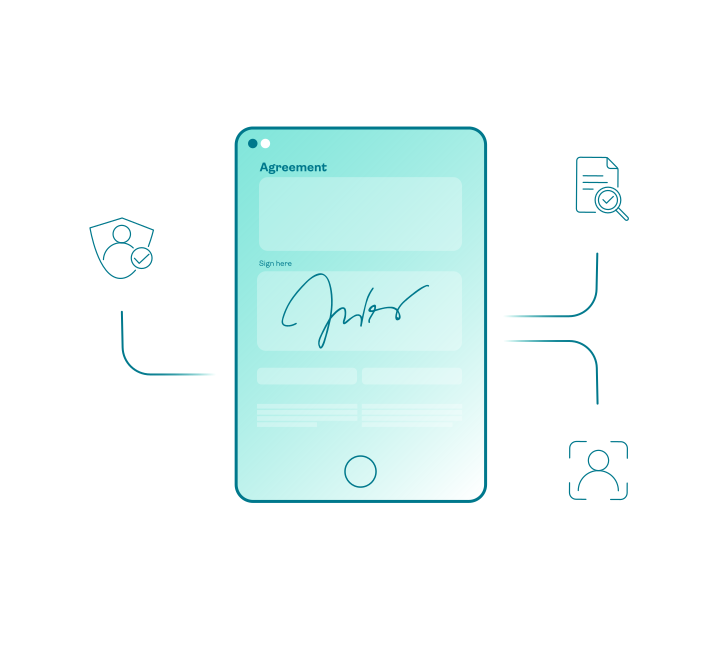
Authenticate signers
Not every agreement requires the same level of assurance. OneSpan Sign offers the flexibility to choose the right authentication method for each transaction, signer, channel, or risk profile.
Use lower-friction methods for routine transactions and step up to stronger authentication when the value, risk, or regulatory requirement needs it.
Authentication options include:
- SSO authentication
- SMS authentication
- Knowledge-based authentication (KBA)
- Q&A authentication
- Passkeys authentication
- Digital certificates from trusted service providers (TSP)
- Government smart cards and derived credentials
See signer authentication in action in OneSpan Sign
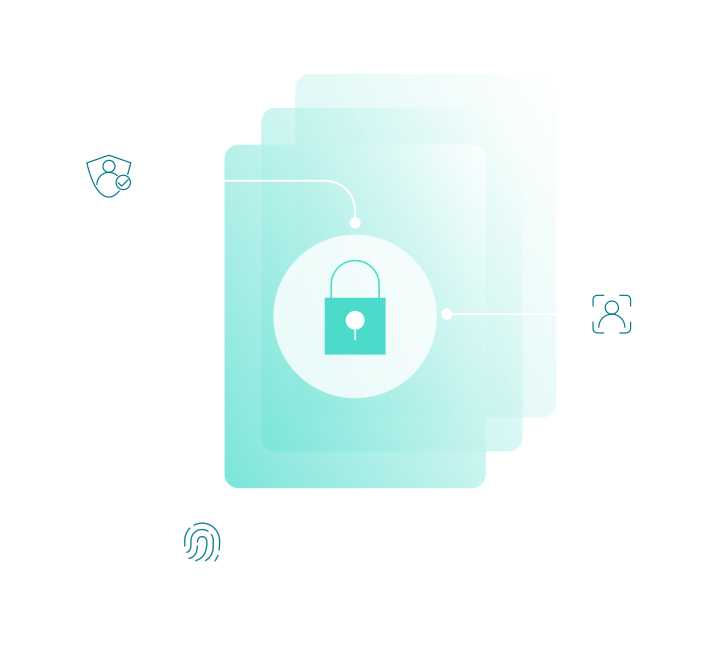
All the evidence, in one unified audit trail
Standalone identity verification and authentication tools can leave evidence fragmented across multiple vendors, workflows, and repositories. OneSpan Sign saves the identity verification, authentication, consent, and signature evidence within a single integrated audit trail tied to the transaction.
That means the record of the identity decision does not sit apart from the agreement. The evidence of who signed, how they were verified or authenticated, and what they consented or agreed to is preserved as part of the same evidence package.

From a customer onboarding perspective, we are now able to take the customer through a consistent journey. We know that they’re getting the information that they need to see and that they’re passing through compliance and KYC processes. I think the customer experience is much, much improved to what it was with our paper-based system.


eSignature identity verification & authentication for regulated use cases
Built for digital agreements where identity assurance, compliance, fraud prevention, and customer experience matter.

Account opening
Verify new customers, reduce onboarding fraud risk, and streamline digital account opening experiences.

Lending & mortgage
Fight AI-powered fraud and deepfakes by verifying the identity of borrowers and loan applicants.

Wealth management
Establish client identity and signer trust for account onboarding and other wealth management workflows.

Insurance
Verify new applicants, authenticate policyholders, and reduce fraud risk across insurance workflows.

Auto finance
Support digital financing with identity verification and authentication embedded in the agreement process.

eNotarization
Mitigate risk with strong identity-proofing options and built-in security controls.
Assurance, security & compliance

Verify identities within the digital agreement workflow
Identity verification is most effective when it is built into the signing process. OneSpan Sign combines AI-powered identity verification, authentication, and eSignature in a single workflow, making it easier to verify signers, reduce risk, and deliver a seamless, white-labeled experience throughout.

Keep identity and signing evidence together in a single audit trail
Standalone identity verification vendors can help verify a person, but the identity decision may sit outside the signed agreement workflow and evidence package. OneSpan Sign unifies identity verification, authentication, and signature evidence together in one audit trail.

Meet higher assurance requirements when required
Basic eSignature tools often rely on simple authentication methods such as email or SMS verification. OneSpan Sign supports stronger identity assurance through government ID verification, biometric matching, liveness detection, and other methods, when higher levels of trust are required.

Reduce vendor sprawl and integration complexity
Managing separate vendors for identity verification, authentication, and eSignature can increase costs, complexity, and operational risk. OneSpan Sign brings these capabilities together, helping organizations simplify integrations and maintain a complete record of each transaction.
Identity verification and authentication options
Select options are available as add-ons to OneSpan Sign plans.

Identity verification
- Government-issued ID document verification
- Biometric face comparison
- Video liveness detection - see it in action
- AI-powered authenticity checks
- Global identity document coverage across 10,000+ documents in 193 countries and territories
Authentication
- SMS OTP
- Q&A challenge questions
- Knowledge-based authentication
- Single sign-on
- FIDO passkeys - see it in action
- Digital certificates
- Smart cards and derived credentials
- OneSpan two-factor authentication options


Frequently asked questions
- What is the difference between identity verification and authentication?
Identity verification establishes that a person is who they claim to be, typically by validating a government-issued identity document and comparing it to biometric information.
Authentication verifies that a known user is authorized to access or sign a document using credentials such as SMS OTP, passkeys, digital certificates, or other authentication methods.
Identity verification is typically used for unknown signers or when the organization needs to re-establish identity for a higher-risk transaction. Authentication is commonly used for existing customers, employees, partners, or other known users.
- When should I use ID verification instead of authentication?
Identity verification is typically used when your organization does not already know the signer, such as during remote customer account opening, lending applications, or insurance workflows with a new applicant or first-time customer.
Authentication is commonly used when the signer's identity has already been established and you need to verify that the right person is accessing or signing the agreement.
- How does identity verification work?
Identity verification combines identity document verification, biometric verification, and liveness detection to help establish trust in a signer's identity.
A signer captures an image of a government-issued identity document, such as a passport, driver's license, or national ID card. AI-powered verification technology analyzes the document for authenticity while extracting key identity data. The signer then completes a biometric verification step, allowing the system to compare the person presenting the document with the portrait on the ID.
- How does biometric verification work?
Biometric verification compares a static selfie or video selfie to the portrait on a government-issued identity document.
Advanced biometric algorithms analyze facial characteristics and generate a matching score to help determine whether the person presenting the identity document is the same individual shown on the document. This provides an additional layer of trust beyond validating the document itself.
- What is dynamic video liveness verification?
Dynamic video liveness verification helps determine whether a real, live person is actively participating in the identity verification process rather than a replayed video, photograph, deepfake, mask, or other spoofing attempt.
Unlike a simple selfie comparison or static image challenge, dynamic video liveness verification analyzes real-time interaction, motion, and liveness signals that are difficult to pre-record or manipulate. The technology evaluates biometric and behavioral signals to help verify signer presence and increase confidence that the individual presenting the identity document is physically present during verification.
Dynamic video liveness verification can also help organizations detect indicators of presentation attacks, replay attacks, deepfakes, and other forms of identity spoofing.
Apply the right level of identity assurance to every eSignature workflow
Explore AI-powered identity verification and flexible authentication options.
