OneSpan Sign integration for Workato: Low-code eSignature automation
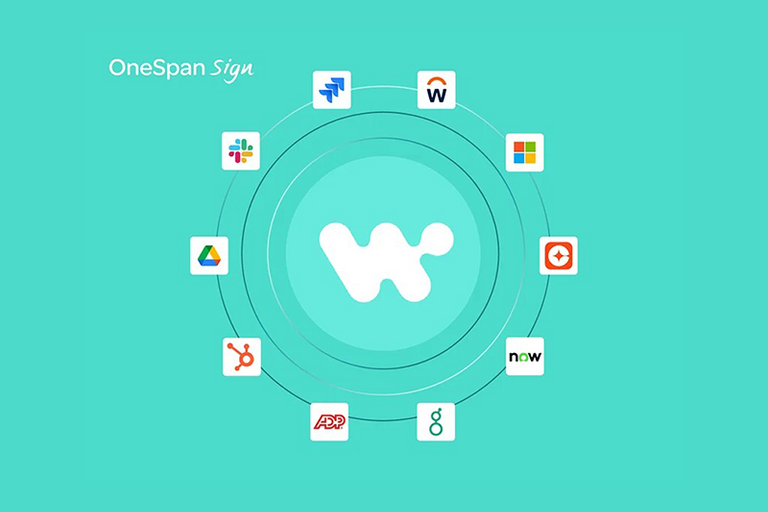
The OneSpan Sign integration for Workato makes it easy for non-technical teams to embed the OneSpan Sign eSignature solution directly into business workflows without the need for custom development.
Teams across your organization can transform document processes, accelerating time-to-value, eliminating manual steps, and creating end-to-end digital agreement workflows.
Despite broad automation initiatives, many digital agreement workflows remain stubbornly manual or only partially automated. Employees still jump between applications, copy and paste information, chase signers by email, and manually store completed documents. This results in perpetual delays, errors, compliance risks, and overall frustration.
Organizations are under pressure to automate more business processes and to find solutions that are less costly. The challenge, particularly for mid-size organizations, is they don't have the in-house development resources or sufficient transaction volume to merit a custom API integration. That’s generally where IT teams hit a wall.
This is especially the case for the moments where identity, approval, and accountability matter most. Teams may automate data movement and task routing, but they stop short when workflows require legally binding signatures, identity verification, secure authentication, or defensible audit trails. Without accessible integration tools, connecting a trusted eSignature platform into existing enterprise workflows typically demands custom development and a larger budget.
The OneSpan Sign integration for Workato addresses these market challenges. With this Workato integration, non-technical teams can embed the OneSpan Sign eSignature platform directly into workflows across popular enterprise applications.
The integration brings together OneSpan Sign’s security and compliance leadership with the power and flexibility of Workato to help accelerate time‑to‑value, eliminate manual steps, and create end‑to‑end digital agreement workflows.
What are the top use cases for automated document signing processes?
There are several use cases that demonstrate how automation can transform document workflows across your organization.
- B2B sales: Teams can automatically send NDAs the moment a new opportunity is created in their CRM — such as Salesforce or Microsoft Dynamics — cutting days from the sales cycle and filing signed agreements directly back to the opportunity record without any manual effort.
- File management: When it comes to storage, every signed agreement can be routed automatically to the repository of your choice, including SharePoint, OneDrive, Google Drive, Box, or Dropbox. This ensures nothing gets lost and documents are always exactly where they need to be.
- HR and recruitment: Offer letters can be generated directly from systems like Workday or Greenhouse, with signed documents filed straight to the employee record, all without any human involvement in the process.
- IT and procurement: Teams can trigger approval workflows from tools like Jira or ServiceNow, route supplier agreements for signature, and archive everything to their procurement system, complete with a full audit trail for compliance and visibility.
OneSpan Sign eSignature integration for Workato
The OneSpan Sign integration makes it easy to drop secure eSignatures directly into your existing Workato workflows without any custom development.
If you're already running Workato to automate processes across your organization, you can now add OneSpan Sign as a step in your CRM, HRIS, IT, or document storage processes. Instead of your team manually issuing signature requests - something we’ve seen many organizations experience frustration over - the workflow does it automatically based on business events you define.
The greatest benefit is that no one has to touch it.
Configuring workflows is straightforward with low-code/no-code building blocks, and the Workato platform offers sufficient flexibility to accommodate a broad spectrum of industry-specific systems and use cases.
Increase your organization’s speed to market, efficiency, and flexibility without compromising on cost with the OneSpan Sign integration for Workato.
How it works
With the OneSpan Sign integration, users can add secure eSignature steps directly into their Workato recipes.
Here’s an example of a typical automated flow:
- 1. Trigger point: A business event occurs, such as a CRM opportunity moving to a new stage, a new employee added in Workday, or an access request created in ServiceNow.
- 2. Build the document package: OneSpan Sign dynamically pulls recipient details from the source system, creates the signing package, and sends it out for signature.
- 3. Notify signers: Signers receive an email or SMS notification that their document is ready for signature.
- 4. Verify identity: Signers click the link and verify their identity using a method appropriate to the risk level of the use case (e.g., SMS OTP, IDV, Q&A, or other options).
- 5. Track automatically: Reminders go out if signers do not sign.
- 6. Store securely: Once completed, signed documents and evidence summaries are automatically saved in the correct location, such as the application or repository of choice. No manual downloads or uploads required.
The result is a consistent, fully automated document signing process that eliminates manual tasks and keeps agreements moving.
Why OneSpan Sign
OneSpan Sign is purpose-built for regulated document signing workflows, especially in industries like banking, insurance, and financial services. It is designed to help businesses and organizations strengthen compliance and auditability, and stands apart for its security features, including white-labeling where some other eSignature tools fall short.
Key features include:
- Embedded audit trails stored with the signed document for audit readiness
- Advanced identity verification and authentication options so only authorized individuals can sign or view documents
- A broad ecosystem of integrations and APIs to cover all use cases
For organizations wanting both automation and security, the OneSpan Sign integration for Workato offers the best of both worlds.
This eSignature integration was designed through market research to reduce the time, cost, and complexity of integration projects. Teams get a new deployment option that delivers faster time‑to‑value and greater automation capabilities, without needing developer resources.
In the Workato ecosystem, this integration raises the bar for secure eSignature integrations.
Get started with the OneSpan Sign integration for Workato
You can begin building your first automated agreement workflow in minutes:
- 1. Install the OneSpan Sign integration in Workato. If you are new to Workato, you’ll first need to procure a license for the platform.
- 2. Set up a new connection with the third-party application where you want to integrate eSignature functionality, such as CRM, HRIS, IT, productivity, or storage. Choose from more than 1,000 applications.
- 3. Create a recipe, or set of instructions, describing your workflow:
- Choose a trigger point to automatically launch signing requests, such as “New opportunity created in SFDC”
- Select a set of actions such as “Get signer details from Contacts in SFDC,” “Download agreement from SFDC,” or “Create transaction in OneSpan Sign”
- Select your authentication methods and notification rules
- Define the storage location for completed documents
- 4. Test, publish, and monitor your automated workflow.
Whether you’re automating sales agreements, new hire onboarding, access approvals, or vendor contracts, the integration gives you a secure, efficient way to scale digital agreements across your organization.
Integration
OneSpan Sign integration for Workato
Start your free trial of the OneSpan Sign integration for Workato to determine if OneSpan Sign is the right eSignature solution for your organization.
Start free trialABOUT WORKATO
Workato delivers enterprise infrastructure for the agentic era, redefining iPaaS and helping enterprises unify data, applications, processes, and AI into a single, governed platform. A leader in Enterprise Model Context Protocol (MCP) and trusted by half of the Fortune 500, Workato’s cloud-native architecture connects every application, data source, and process to power real-time orchestration at scale. With enterprise-grade security and continuous innovation at its core, Workato provides the trusted foundation for organizations to automate with confidence and operationalize AI across the business. To learn more, visit www.workato.com.
FAQ
What can I automate with the OneSpan Sign integration for Workato?
With the OneSpan Sign integration for Workato, you can automate end-to-end document signing workflows across CRM, HR, IT, procurement, and other systems. Common use cases include automatically sending NDAs when new sales opportunities are created, generating and routing offer letters for signature, triggering supplier approval workflows, and securely storing completed agreements in storage tools like SharePoint, OneDrive, Google Drive, Box, or Dropbox. This eliminates manual steps and keeps documents moving through your organization quickly and securely.
Do I need coding experience to integrate OneSpan Sign into my workflows?
No. The OneSpan Sign integration for Workato is designed for low-code and no-code teams. You can add eSignature steps directly into existing workflows using Workato’s visual workflow builder; no development resources or custom API work required. This makes it easy for non-technical teams to create automated and traceable digital agreement workflows.
How is this different from a custom integration?
Unlike custom integrations, the OneSpan Sign integration for Workato is a pre-set, low-code/no-code integration designed for tighter budgets and timeframes. Your team does not need in-house developers or large development budgets to integrate it into your signing processes, allowing you to start using the tool immediately.
How does OneSpan Sign strengthen security for automated signature workflows?
OneSpan Sign is built for high-trust, regulated industries and includes advanced security features such as embedded audit trails, strong identity verification, and controlled access to documents via authentication options. Every completed agreement includes a detailed evidence summary, and Workato’s automation routes and stores documents in the correct, compliant location without manual handling.
