Content from Infographic
10 trusted authentication methods for eSignature transactions
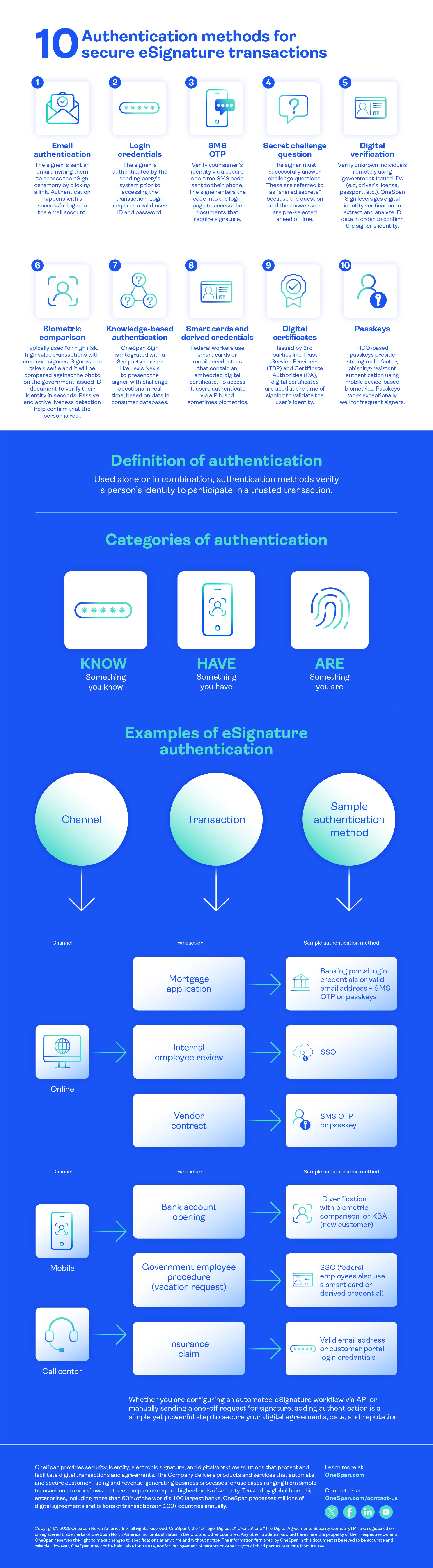
Use these authentication methods for eSignature alone or in combination (single or multi-factor authentication), depending on the risk level of your process:
- Email authentication: The signer is sent an email, inviting them to access the eSign ceremony by clicking a link. Authentication happens with a successful login to the email account.
- Login credentials: The signer is authenticated by the sending party’s system prior to accessing the transaction. Login requires a valid user ID and password.
- SMS OTP: Verify your signer’s identity via a secure one-time SMS code sent to their phone. The signer enters the code into the login page to access the documents that require signature.
- Secret question challenge: The signer must successfully answer challenge questions. These are referred to as “shared secrets” because the question and answer sets are pre-selected ahead of time.
- Digital ID verification: Verify unknown individuals remotely using government-issued IDs (e.g., driver’s license, passport, etc.). OneSpan Sign leverages digital identity verification to capture, extract, and analyze ID data in order to confirm the signer's identity.
- Biometric comparison: Typically used for high-risk, high-value transactions with unknown signers. Signers can take a selfie. It will be compared against the photo on their government-issued ID document to verify their identity in seconds. Passive and active liveness detection help confirm that the person is real (not a photo, which could be used to impersonate someone).
- Knowledge-based-authentication (KBA): OneSpan Sign is integrated with a 3rd party ID verification service like Lexis Nexis to present the signer with challenge questions in real time.
- Smart cards and derived credentials: Federal workers use smart cards or mobile credentials that contain an embedded digital certificate. To access it, users authenticate via a PIN and sometimes biometrics.
- Digital certificates: Issued by third parties like Trust Service Providers (TSP) and Certificate Authorities (CA), digital certificates are used at the time of signing to validate the user’s identity.
- Passkeys: FIDO-based passkeys provide phishing-resistant multi-factor authentication (MFA) using mobile device-based biometrics. Passkeys work exceptionally well for frequent signers.
Learn how authentication also protects your signing URLs against cyberattacks.