
Beyond eSignature: See OneSpan Sign’s latest innovations. Watch now
ELECTRONIC SIGNATURE SOFTWARE
The safest way to complete agreements. Fast.
OneSpan Sign is the eSignature platform built for customer agreements.
OneSpan Sign manages the full agreement lifecycle from document preparation and identity assurance to electronic signatures and connected workflows. Complete agreements with fewer delays, less manual work, more security controls, and capabilities proven in regulated environments.


Why choose OneSpan Sign
Discover what sets us apart from other digital signature solutions

More completions
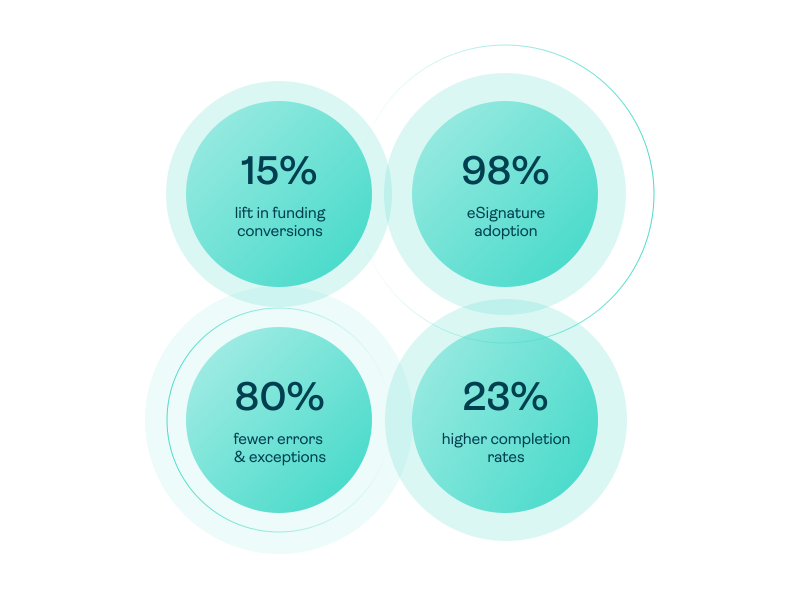
Improve completion rates by up to 23%
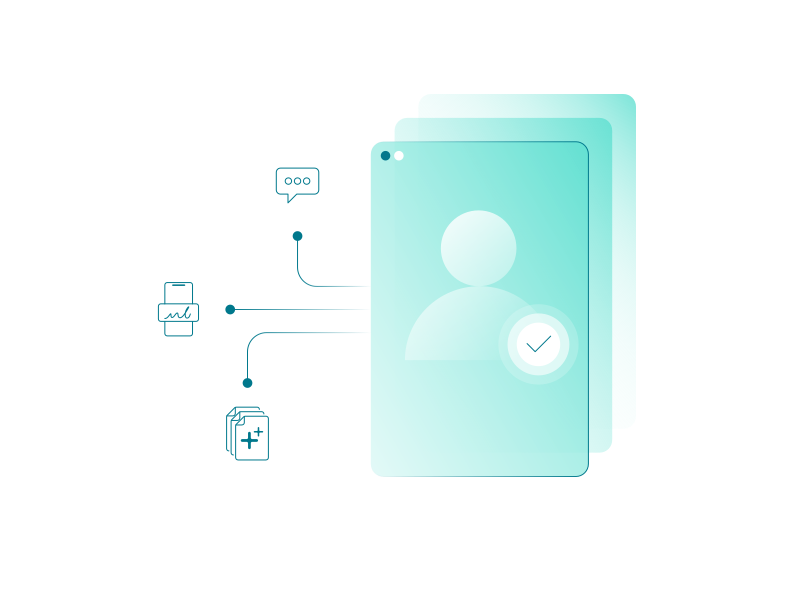
OneSpan Sign helps more customers complete the signing process by reducing confusion, effort, and abandonment throughout the agreement workflow. Key features include:
- Fully white-labeled experiences extend your brand across the signing and identity verification experience. White labeling has helped improve completion rates by up to 23%.
- AI Summary and Q&A (coming soon) helps reduce drop-off when signers don’t understand complex agreement language. It generates concise agreement summaries and enables natural language Q&A.
- Smart Forms help reduce abandonment during data capture. With progressive guidance, conditional logic, and data prefill, these adaptive forms make it easier for customers to provide their information.
Faster completions
Cut process time from start-to-finish by as much up to 99%
OneSpan Sign keeps agreements moving with automated notifications, flexible routing, and signing experiences built around your customers' preferences. Businesses have reduced agreement cycles by up to 99%, trimming processes from 20 days to 10 minutes.
- SMS notifications reach signers faster than email
- Automated reminders prompt signers to act and help teams manage time-sensitive agreements
- Integrated identity verification helps confirm signer identity in seconds
- Flexible signer routing supports sequential or parallel signing and allows any authorized member of a signing group to complete a task
- Mobile, remote, and in-person signing so customers can complete agreements anywhere
- Real-time transaction tracking gives internal teams visibility into progress so they can follow up when needed

Fewer exceptions
Reduce errors by up to 80%
Conditional logic, business rules, and new Not in Good Order (NIGO) capabilities help prevent costly errors, omissions, and exceptions by identifying incomplete or incorrect attachments and data. Financial institutions using OneSpan Sign have cut errors and irregularities by up to 80%.
OneSpan Sign is evolving its NIGO capabilities so your team can detect and fix problems before they turn into delays.
NIGO Document Validation helps identify issues with attachments that have been uploaded by signers, such as a pay stub, driver's license, or utility bill. This feature automatically checks document type, document quality, expiration status, and looks for signs of tampering.
Coming soon
- NIGO Good Order Checks, NIGO Tamper Checks, Flexible Attachment Flow
Higher adoption
Achieve up to 98% user adoption
For senders & admins
OneSpan Sign simplifies deployment and administration with tools that help business users create, manage, and scale digital agreement processes. Low-code integrations, reusable templates, and configurable workflows reduce complexity and accelerate time to value.
Available now
- Low-code/no-code integrations
- Reusable templates & layouts
- Supporting documents
- Ad hoc signing groups
- Counter signing
Coming soon
- New homepage with status, issues, and next actions
- Self-service template migration
- Auto-Field Placement
- Flexible attachment collection before or after signature
For signers
OneSpan Sign makes it easy for signers to review and complete agreements on their preferred device. Mobile-first experiences, familiar branding, and timely reminders keep agreements moving to signature. Organizations using OneSpan Sign have achieved up to 98% user adoption.
Available now
- Mobile-first signing experiences
- White-labeled signing experiences
- Broad range of signer authentication options
- SMS notifications and reminders
- Signature Styles
Coming soon
- AI Summary and Q&A
Identity assurance
Confirm that the signer is who they claim to be
Signer identity verification
- Government-issued ID document verification
- AI-powered authenticity checks
- Biometric face comparison
- Video liveness detection
- Control over video capture
- Global identity document coverage across 10,000+ documents in 193 countries and territories
OneSpan Sign brings identity verification directly into the agreement workflow with real-time, AI-powered capabilities. It reduces identity risk through layered biometric verification that confirms the signer's identity and physical presence.
Signer authentication
- SMS OTP
- Q&A challenge questions
- Knowledge-based authentication
- Single sign-on
- FIDO passkeys
- Digital certificates
- Smart cards and derived credentials
- Digital credentials and wallets (coming soon)
OneSpan Sign is designed for flexibility, so you can match identity assurance to the risk level of any process or channel. From low-friction authentication methods to higher-assurance controls, a wide range of options helps balance security, compliance, and customer experience.
Regulatory defensibility
Prove who signed, what was signed, and how the agreement was completed
OneSpan Sign provides multiple layers of compliance and evidentiary controls, combining identity verification, authentication, consent capture, digital signature seals, detailed audit trails, eNotary, and more, to support regulatory defensibility.
For every digital agreement, OneSpan Sign generates a single tamper-evident audit trail that includes:
- Time-stamped signer activity for all actions
- Identity verification and authentication events that support KYC, AML, FINTRAC, PSD3, and eIDAS 2.0 compliance initiatives
- NIGO validation checks showing that required information and supporting attachments were verified (coming soon)
- Online notarization records, where applicable

“A second distinguishing element is the audit trail, which is tamper-sealed within the transaction record itself rather than kept as a separate log, giving it evidentiary weight in regulated disputes.”

IDC MarketScape: Worldwide Integrated Signing Workflow Software 2026 Vendor Assessment, # US53014325e, September 2026
Robust security
Secure the documents, data, and transaction
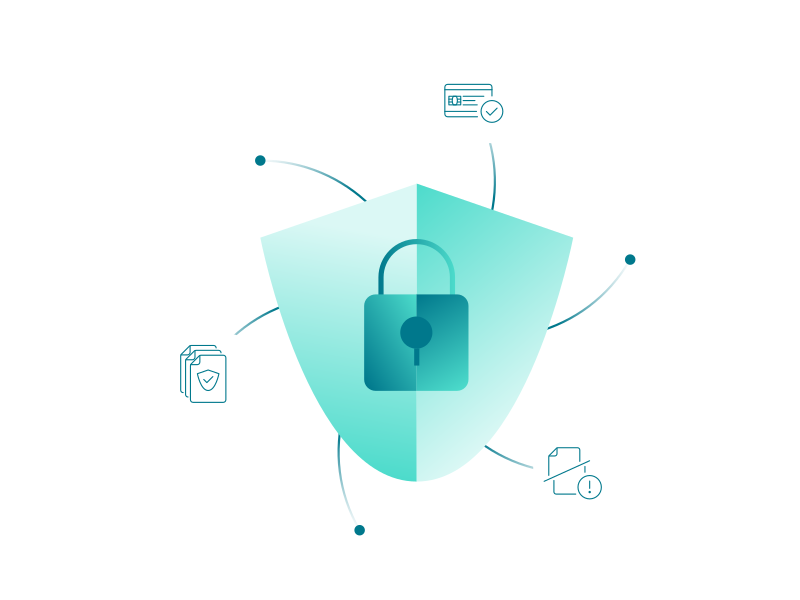
OneSpan Sign runs on a broad set of security features:
- Data encryption in transit and at rest to safeguard personally identifiable information
- Tamper-evident digital signatures to prevent accidental and malicious changes to signed documents
- Identity verification to defend against deepfakes, replay attacks, synthetic identities, and other types of identity fraud
- Authentication to help prevent unauthorized access to signing transactions
- White-labeling to help prevent phishing attacks
- NIGO checks to detect potentially altered or fraudulent attachments (coming soon)
- Secure infrastructure compliant with SOC 2 Type II, ISO/IEC 27001, ISO/IEC 27017, ISO/IEC 27018, and FedRAMP requirements
Easy connectivity
eSignature integrations keep agreements moving beyond the signature
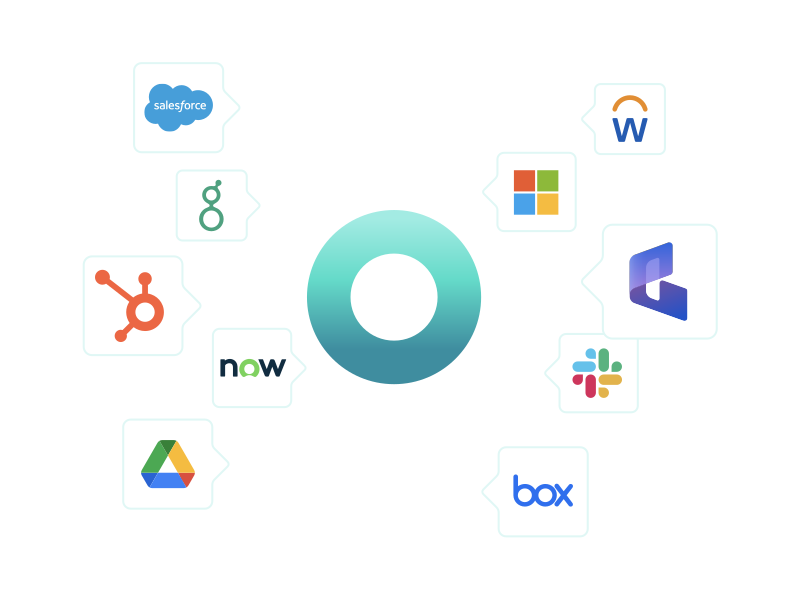
Customer agreements often begin in one business system and continue in another. OneSpan's electronic signature solution connects with the applications and workflows your organization already uses. Teams can initiate signing where they work and use completed agreements to trigger the next business action, such as funds disbursement through a loan management system.
Available today
- Third-party integrations to initiate and manage signing in business applications
- Low-code/no-code integrations to build the workflows of your choice
- APIs to embed eSignature into custom applications and workflows
Coming soon
- MCP/agentic workflows with human oversight
Ready to accelerate agreements without compromising security and compliance?
OneSpan Sign extends eSignature into the broader digital agreement workflow
Bringing together identity verification, document validation, guided experiences, secure signing, and integrated workflows
200+ features to manage the agreement lifecycle
Explore a selection of top features
1. Prepare
Set up reuseable templates, import existing templates and send documents in bulk to simplify repeatable, high-volume processes
Add documents that need a signature, documents that only need acceptance, and supporting documents shared for information only
Detect and add signature and data fields to documents and templates automatically
Use conditional logic to show signers only the fields relevant to their responses
Turn PDF forms into mobile-ready, guided forms that are easier to complete
2. Send
Initiate and manage agreement signing from CRM, LOS, and other core systems
Route documents to multiple signers sequentially or in parallel
Let any authorized group member sign or use placeholder roles when the final signer is not yet known
Embed eSignature into your web portal and business applications using APIs and SDKs
Reach signers through SMS and email notifications, with automated reminders and expirations
3. Verify and validate
IDENTITY
Identify signers with ID document check, face match, and video liveness detection (coming soon)
Set the authenticate method for each signer and choose from a wide range of options, including passkeys, SMS one-time codes, KBA, Q&A, and more
DOCUMENTS
Request supporting documents from signers
Check signer attachments for issues such as incorrect document type, missing information, expiration, and low-quality uploads
4. Sign
Support simple, advanced, and qualified signatures
Generate plain-language summaries of complex documents and answers signers’ natural-language questions
Secure video, identity proofing, eNotary seal, and a notary journal
Support blind and visually impaired signers using compatible browsers and accessibility tools; WCAG 2.1 AA compliant signing experience
Apply your logo, colors, content, and sender domain across the signing experience and email notifications
5. Manage
Capture identity verification, authentication, signing, and document-validation records in one tamper-sealed audit trail
Find completed agreements, audit records, and transaction history fast
Return signed documents and captured data to your CRM, core systems, and storage systems
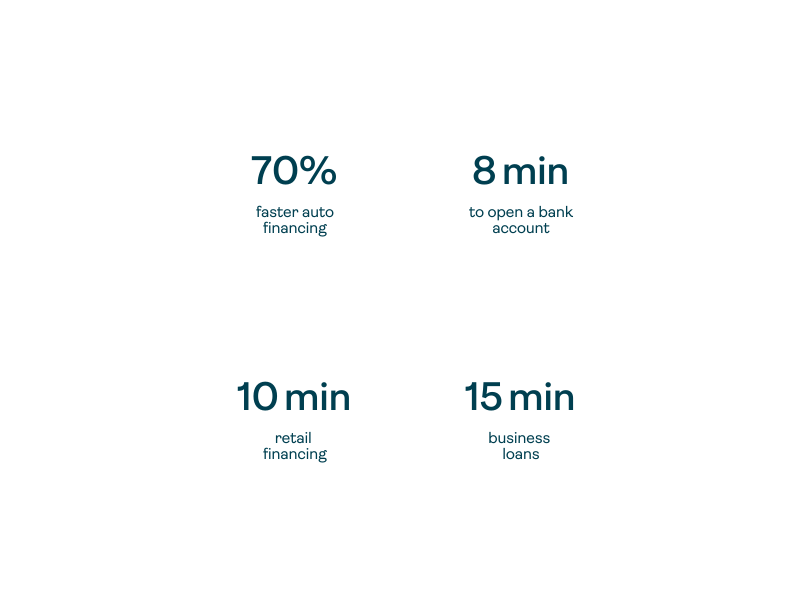
Better outcomes for customers
Organizations using OneSpan Sign e signature have delivered:
- Faster processes
- Faster decisions
- Faster results
Better outcomes for the business
By using OneSpan Sign for their e signature needs, organizations have:
- Increased top-line growth
- Increased completion rates
- Reduced exceptions, errors & omissions
- Achieved operational improvements
- Achieved higher adoption rates

OneSpan Sign is a relevant option for financial services organizations and other regulated enterprises deploying customer-facing signing workflows where white-labeling, authentication assurance, and the integrity of the signing record are material requirements.

IDC MarketScape: Worldwide Integrated Signing Workflow Software 2026 Vendor Assessment, # US53014325e, September 2026
G2 User Satisfaction Ratings Report
See why G2 reviewers say these eSignature criteria matter most
When it comes to ease of use, quality of support, and custom branding, we lead the way.
Electronic signature pricing
OneSpan offers premium capabilities without the premium price.
Professional
$22USD
(per user/month billed yearly)
For professionals and businesses who want to get started in minutes. Upload, send for signature, and we'll take care of the rest.
Enterprise
Volume-based pricing
Only pay for what you need. Choose a specific number of transactions or opt for a band that fits your usage.


Accelerate digital agreements without compromising security or compliance
Reduce delays caused by missing information, manual reviews, verification bottlenecks, and disconnected workflows – while maintaining security, compliance, and traceability.
FAQ for OneSpan Sign electronic signatures
An electronic signature (eSignature) is a secure, digital way for someone to approve or sign a document online and is a key element to legally binding digital agreements. Electronic signature software is used to sign everything from offer letters and sales contracts to rental agreements, liability waivers and financial documents, so you can handle business anywhere, anytime. Because they capture intent and are protected by security and compliance controls, they’re also legally enforceable across most business and personal transactions worldwide. Learn more about how eSignatures work.
Yes, electronic signature is legally binding and enforceable in countries that have enacted electronic signature laws.
Electronic signatures created using our solution comply with both the U.S. ESIGN Act and UETA. OneSpan Sign electronic signature also comply with Regulation No 910/2014 on Electronic Identification and Trust Services Regulation (eIDAS) in the European Union. Other countries have established similar laws as well. Visit our eSignature legality guide to learn more.
Yes. Security is always top-of-mind at OneSpan.
OneSpan Sign follows a variety of regulatory, industry, and IT standards for security and data protection. In addition, OneSpan Sign meets the compliance standards set by ISO/IEC 27001, ISO/IEC 27017, ISO/IEC 27018, SOC2 Type 2, FedRAMP, HIPAA, Skyhigh Enterprise-Ready, GDPR, and more. Please visit the OneSpan Sign Trust Center for additional information.
Though related concepts, digital signatures and electronic signatures are different. An electronic signature is a legal concept. Its captures a person’s intent to be legally bound to an agreement or contract.
However, a digital signature refers to encryption/decryption technology within an electronic signature. Based on public-key cryptography, digital signatures secure signed documents and allow one to verify the authenticity of a signed record.
In short, a digital signature cannot capture a person’s intent to sign a document. When used with an electronic signature application, digital signature technology secures the eSigned data.
Creating and electronic signature with OneSpan Sign is easy. You could use click, type or draw action to sign at specified location. As an account owner, you can easily create and save a reusable handwritten signature to your account profile. OneSpan Sign leverages digital signature technology to create secure electronic signatures. We also support digital certificates stored on the user’s system, government-issued smart cards (e.g., CAC/PIV, national eIDs, etc.), and hardware tokens to authenticate the identity of users. Learn more.
OneSpan Sign supports a range of pre-built and custom eSignature integrations with CRM applications like Salesforce and Microsoft Dynamics 365, HRIS systems such as Workday and Greenhouse, productivity and storage tools like Google Workspace and Microsoft 365 (SharePoint, OneDrive), as well as fully embedded solutions. Learn more about OneSpan Sign’s eSignature integrations.
All you need to send documents is a web browser and a subscription to the OneSpan Sign Professional Plan. Upload your documents, add recipients, select signature blocks and fields, select a signer authentication method, then click “Send to Sign” to distribute your document for signing. Each recipient will receive an email invitation to sign the document.
You can electronically sign a document quickly and easily with OneSpan Sign.
- As a signer, you will receive an email request for your signature. Click the link to access the document from your email.
- You will be directed to the document which requires your signature.
- To electronically sign the document, simply click on the signature box. Once you are done signing the documents, click the confirm button.
OneSpan Sign supports the following document formats:
- PDF / Adobe PDF (.pdf)
- Microsoft Word (.doc, .docx)
- Open Document Text (.odt)
- Text (.txt)
- Rich Text Format (.rtf)
- Google Workspace
We also support any document that can be printed from any Windows-based application like Word, Excel, and PowerPoint with the OneSpan Sign Print Driver.
OneSpan offers plans that provide enterprise-scale solutions with greater flexibility and scalability for small business and enterprise customers. We provide the greatest price per value, so customers get more for their money. This includes excellent customer service, built-in security features, and workflow integrations to minimize a brand’s tech stack. Learn more about our electronic signature pricing.
OneSpan Sign is available to try for free for 30 days. Learn more.
Your eSignature solution should be transparent in pricing and able to grow with you, whether you’re a small business or a large enterprise. Depending on your company’s industry, you’ll likely benefit from eSignature fitting into your business’s daily workflow. Learn more.
Features marked as "coming soon" represent our current product direction and may change without notice. Availability and delivery timelines are not guaranteed.