Threat View
Stay ahead of evolving threats with comprehensive mobile security intelligence.
Mobile threat intelligence for secure banking
Threat View empowers your development, SOC, IT, and compliance teams to detect, analyze, and respond to mobile app threats before they impact your organization.
How does Threat View work?
The Threat View client software development kit (SDK) continuously monitors device telemetry and mobile threat events within your app. These insights will then be sent to the Threat View server component in your on-prem or private cloud, where the granular data is analyzed, visualized, and transformed into actionable security intelligence and audit trails.

Turn threat intelligence into competitive advantage
With mobile banking fraud attacks surging close to 200% in 20241 and 29 malware families now targeting over 1,800 mobile banking apps globally2, banks need proactive threat intelligence that transforms security incidents into a strategic advantage.
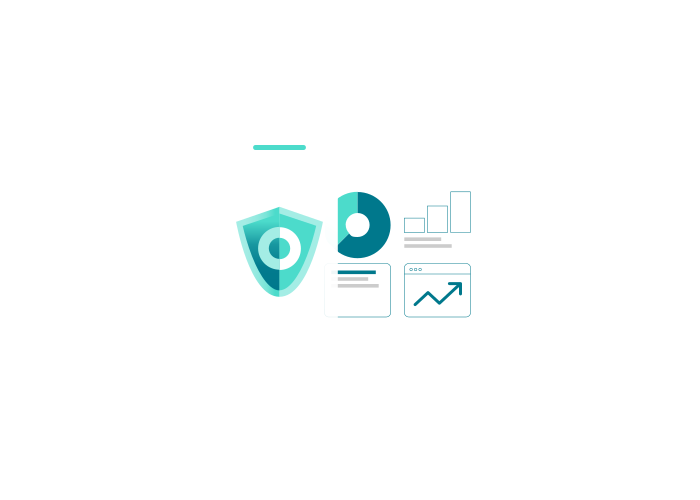
Threat View delivers comprehensive visibility into your mobile threat landscape through easy-to-use dashboards, detailed reports, and audit trails – empowering your team to proactively:
- Prevent fraud losses
- Exceed compliance requirements
- Protect your brand reputation
All while maintaining operational excellence.
1 https://www.kaspersky.com/about/press-releases/banking-data-theft-attacks-on-smartphones-triple-in-2024-kaspersky-reports
2 https://promon.io/security-news/app-threat-report-2025-q2-malware-ai-threats-financial-apps
Detect, understand, and mitigate threats before damage occurs
Threat View enables your team to proactively identify emerging threats to your mobile app during the attack lifecycle, providing critical context needed for immediate response. The comprehensive device and threat events monitoring capability gathers everything from device and geolocation data to rooting/jailbreaking, hooking, screenshot and screen mirroring detection.
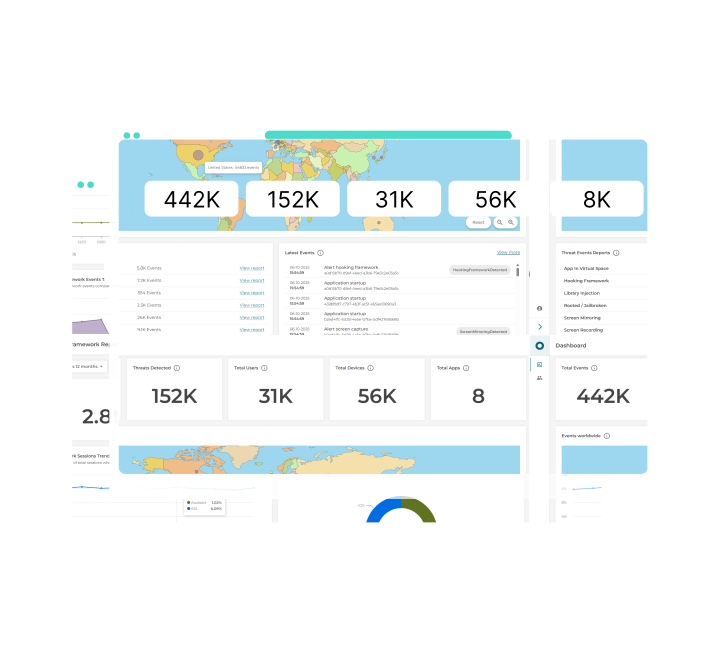
Through the user-friendly dashboard, your security team can gain a full understanding of the attack, identify high-risk devices, suspicious user patterns, and emerging attack trends before they escalate into fraud incidents.
Deploy in days, securely
You can easily and quickly deploy Threat View using its Docker-based containers within your own infrastructure or private cloud. On top of shortening your time-to-market, this approach eliminates external cloud dependencies while ensuring the highest level of data security and privacy for you and your customers. Strengthen regulatory, privacy, and data residency compliance without sacrificing scalability.
Secure role-based collaboration
Threat View role-based access enables your team to minimize the risk of accidental or unauthorized changes or data exposure through three predefined workflow-specific access levels: Account Owner, User Admin, and Insight Viewer.
Made with SOC, IT, and compliance teams in mind, Threat View allows for least-privilege governance enforcement and full auditability to maintain security and regulatory compliance, without increasing operational complexity.
Comply with data protection laws
Threat View enables you to maintain data security and accountability using the built-in granular data controls, data portability, and cryptographically-secured audit trails for system events. You can confidently prove your data protection regulations adherence (e.g., GDPR) and remain compliant.
Ready to learn more about Threat View?
Stay ahead of evolving threats with comprehensive mobile app security intelligence.
In-depth monitoring
Threat View collects and aggregates a rich set of device telemetry and threat events gathered by Mobile App Shielding SDKs in your iOS and Android applications.
- Device data
- Device brand and model
- Operating system information
- Device language
- Device fingerprint
- Time of the event
- Geolocation data
Threat View can capture the latitude and longitude of the device to correlate the location with the collected threat event type. Learn more.
- App data
- App version and release date
- App installation date
- App journey information
- App activity lifecycle
- Threat events
- Hooking framework detection
- Screenshot detection1
- Library injection detection1
- Untrusted keyboard detection2
- Untrusted screen reader detection2
- Screen mirroring detection2
- Screen recording detection1
- Emulator detection2
1: iOS only, 2: Android only. Learn more.
Actionable insights
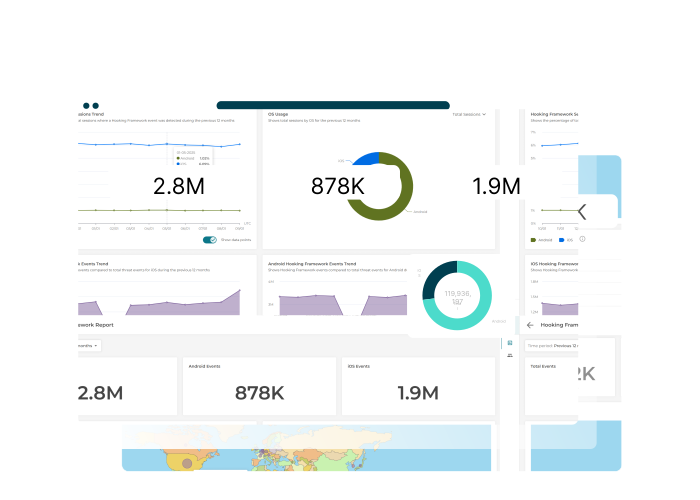
Threat View enables you to easily visualize the collected device, app, and threat events into highly intuitive, structured data. You can quickly and efficiently understand your threat exposure level and take immediate action.
- Intuitive dashboard
Accessible via the admin interface, the Threat View web-based dashboard allows you to gain a full context of threat events at a glance through a dozen chart and widget types. Learn more.
- Advanced reporting
You can customize what you see using the advanced filter options, allowing you to perform in-depth analysis on specific threats and customize how the data is visualized.
- Device- and app-level analysis
Gain insights into how event types impact different operating systems, device types, and app versions, and tailor your threat mitigation approach accordingly.
- Time- and location-based analysis
With Threat View, you can understand the trend of the collected events over time and per region. Drill down based on the specific day, week, month, or year, and visualize them on the world map widget.
Rapid on-prem deployment
You can easily integrate and deploy Threat View to start monitoring for threats on your Mobile App Shielding-protected applications. Threat View works as a web application and is available for on-premise or private cloud deployment.
- Deploy in days
You can quickly deploy Threat View images in a Docker environment in a matter of days, significantly cutting the time-to-market.
- Lightweight
Threat View server-side component and client SDK are designed to be easily integrated into your backend and application with little to no impact on your server or app performance.
- Threat event simulator
Threat View comes with an optional threat event simulator that allows you to simulate mobile apps and realistic mock real-time and historical data, allowing you to test and evaluate Threat View in your environment. Learn more.
Secure and compliant
Threat View comes with a handful of data privacy controls, allowing you to meet and maintain data protection regulations (e.g., GDPR) with ease.
- Tamper-proof audit logger
You can do a full audit of all Threat View microservices using the Docker image. The cryptographically secured audit information and the configurable audit data retention feature further empower you to meet your data protection obligations. Learn more.
- Role-based user access
You can enforce least-privilege governance on Threat View and minimize the risk of accidental or unauthorized changes or data exposure using the built-in workflow-specific access:
- Account Owner: Owns all of the Threat View tenants.
- User Administrator: Can install and set-up Threat View and manage other users.
- Insights Viewer: Can access and use Threat View
- Full data privacy control
Threat View’s on-prem deployment approach eliminates external cloud dependencies. You can ensure the highest data security and privacy. Strengthen regulatory and data residency compliance without sacrificing scalability.
Resources
Datasheet
Download the OneSpan Threat View datasheet to get an overview of the features and capabilities that empower your security team to detect, analyze, and respond to evolving mobile threats in real time.

Manual
Access comprehensive guides and technical resources for deploying and integrating OneSpan Threat View. Learn how to configure Threat View, integrate the SDKs to detect and respond to mobile threats.
